
Mulch, gravel and pavers for the whole job
Measure each bed, path and patio on the satellite map. Landscaping Calc gives the cubic yards, bags, tons and truckloads, then the order for your supplier.

 Scan with your phone to install
Free on Android · No account · No subscription
How it works
- 1
Measure each area
Draw it on the satellite map, walk around it, or type its dimensions.
- 2
Choose the material
Mulch, gravel, pavers or a wall: the depth and size give the quantities.
- 3
Send the order
Bags, tons or truckloads at your prices, by supplier, in a PDF.
Landscaping Calc is an Android app that works out the materials of a landscaping job. A job is rarely one material: there is mulch in the beds, gravel on the path, pavers on the patio, a retaining wall, edging. The app keeps them in one project, one zone per area, and adds up the same material across zones.
Each zone gets its size from the satellite map, from a GPS walk around it, or from the dimensions you type. Choose the depth, and the volume becomes cubic yards, tons, bags, big bags or truckloads, with the pack sizes and densities of your supplier.
- Loose materials — mulch, gravel, topsoil, compost, river rock, decomposed granite, sand, crushed stone base. Mulch calculator
- Hardscape — pavers with their sand and base, retaining wall blocks, edging, concrete slabs. Paver calculator
- The order — lines grouped by supplier, your prices, a PDF to send. Material order
- The quote — materials, labor, delivery and tax for your customer. Landscaping quote
There is no account and no subscription. Your projects stay on your phone. Ads pay for the app, and one purchase removes them.
Everything to price a landscaping job
Mulch calculator
How much mulch, topsoil or compost a bed needs, in cubic yards and in bags.
Gravel calculator
Cubic yards and tons of gravel for a path, a driveway or a base, and how many truckloads.
Paver calculator
How many pavers for a patio or a walkway, and the sand and base under them.
Retaining wall calculator
Blocks, caps, drainage gravel and base for a retaining wall, from its length and height.
Measure the area
Four ways to size a zone: draw it, walk it, type its dimensions, or reuse a measurement.
Material order
What to order from whom, at your prices, ready to send to the yard.
Landscaping quote
From the materials of the project to a quote your customer can sign.
Privacy
No account, no server of ours. Here is everything the app sends over the network.
Why Landscaping Calc
- Free: every feature
- No account, no subscription
- Cubic yards, bags, tons, truckloads
- A PDF order and a customer quote
- 43 languages
- Android 8.0 and later
See it in the app
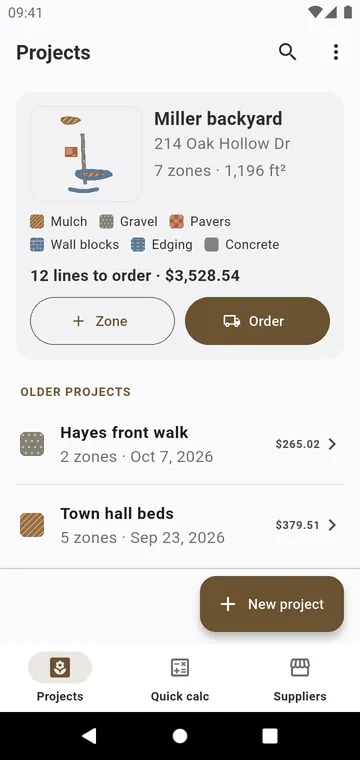
Projects: each job with its zones, materials and total to order
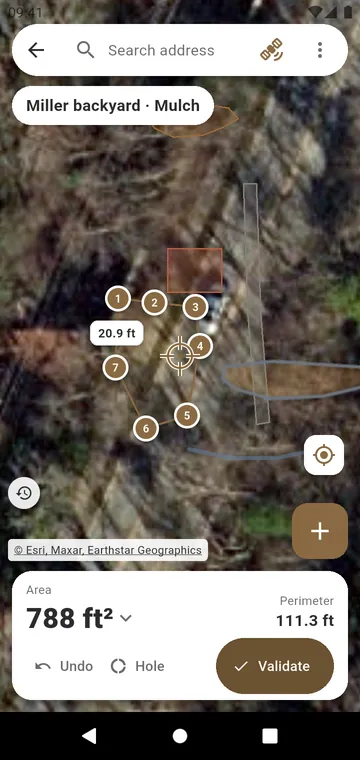
A mulch bed drawn on the satellite view, with its area
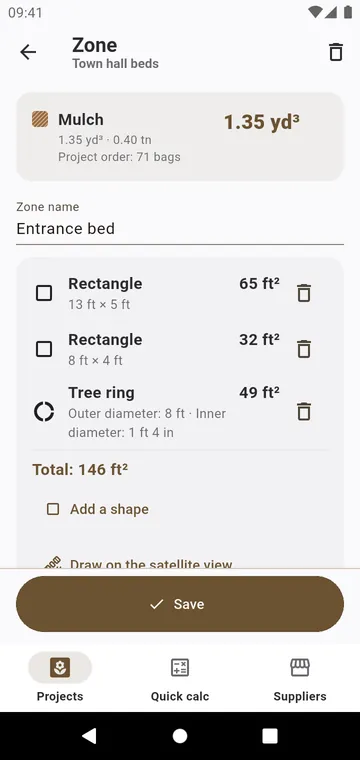
A zone entered as shapes: rectangles and a tree ring
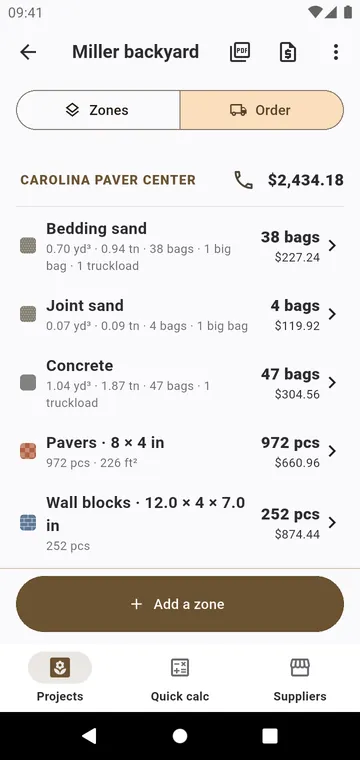
The order: each material by supplier, in bags and tons, priced
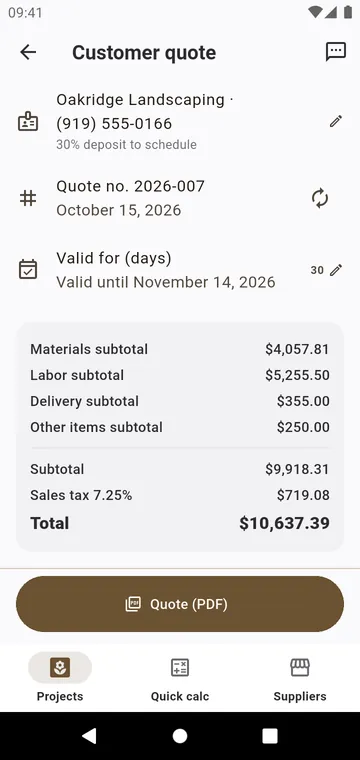
The customer quote: materials, labor, delivery and tax
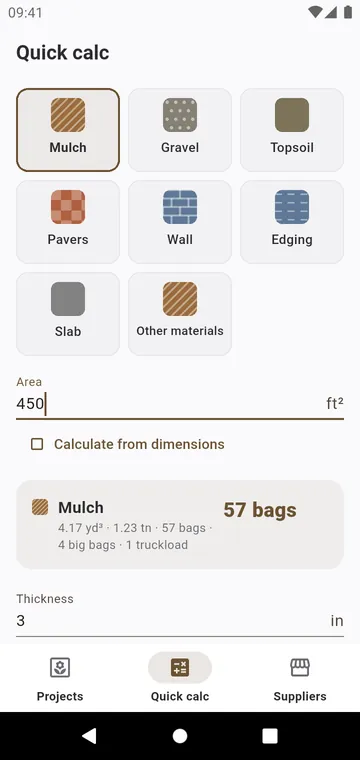
Quick calc: one material, one area, the bags at once
Guides
How much mulch
Square footage, depth, and the size of the bag. Here is the calculation, with an example.
How much gravel
Gravel is measured in cubic yards and often sold by the ton. Here is how to go from one to the other.
Bags in a cubic yard
One cubic yard is 27 cubic feet. Divide by the size of the bag.
How many pavers
Count the pavers from their size and joint, then the sand and the base under them.
Retaining wall blocks
Courses for the height, blocks for the length, then what goes behind and under the wall.


Know what to order before you call the yard
Measure the beds, choose the materials, send the order. No subscription.